Ragdoll Gladiator Arena Getting Started Guide
Install, fight your first Lionstone bout, and learn the three-point turn loop.
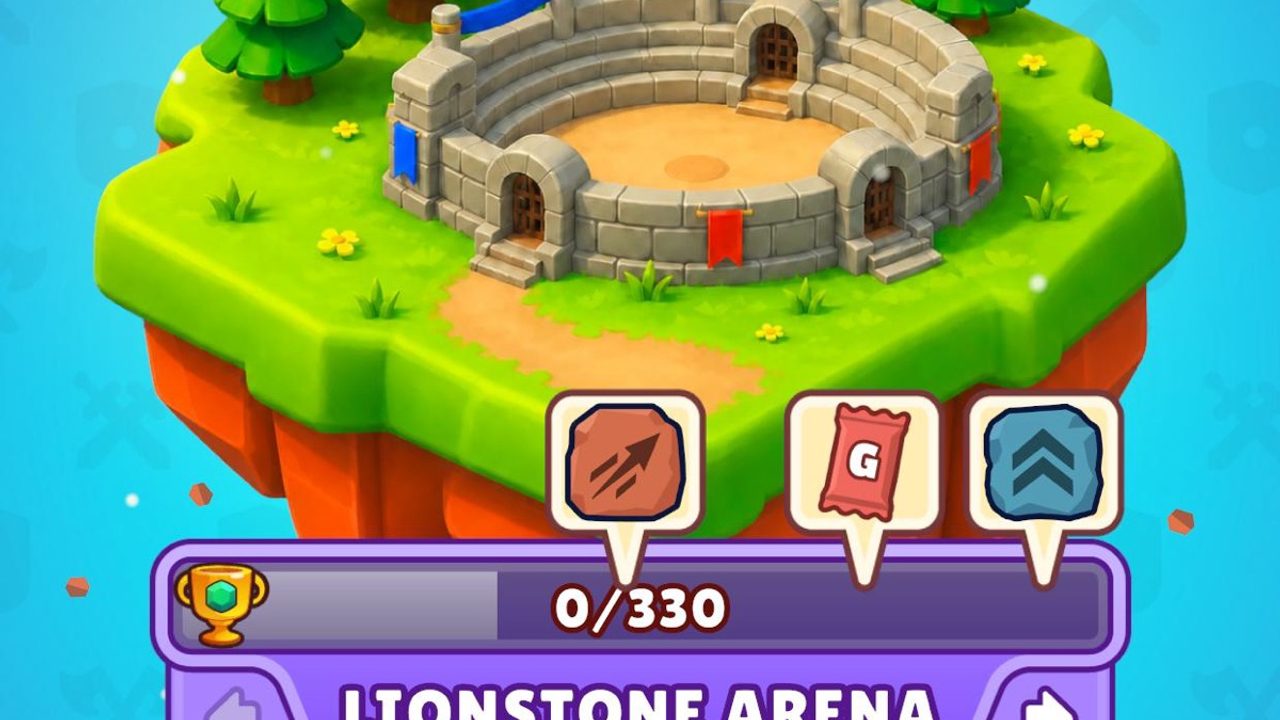
Ragdoll Gladiator Arena is a free deck-building PvP game on the App Store for iOS 15 and newer. Developer HAPPY GAME COMPANY TEKNOLOJI ANONIM SIRKETI publishes it through Rollic Games. The game released on 4 October 2026, with version 1.2 following on 5 October 2026. Expect a download around 278 MB and a 12+ rating. This getting-started guide walks you from install to your first meaningful Lionstone Arena matches without inventing systems that are not on the store screenshots.
Install and first launch
- Open the App Store page for Ragdoll Gladiator Arena on an iPhone or iPad running iOS 15+.
- Download the free client and launch it on a stable connection — matches are online PvP.
- Complete any short onboarding the game presents. Official store language is English; keep that in mind if your device language differs.
- Note the Warrior Prize countdown UI if it appears early — it is a timed reward track, not a code redeem screen.
You do not need Roblox, Discord, or third-party launchers. If a site claims otherwise, leave it. For code status (none verified yet), see the Codes Hub.
Your first Lionstone Arena match
Lionstone Arena is Arena 1. Its trophy track shows progress such as 0/330. Early matches teach the combat loop more than they teach deep deck theory. Queue a fight, then focus on three UI pieces:
- Health hearts on each gladiator
- The blue action orb showing plays left this turn (examples: 1/3, 0/3)
- The End Turn control that passes play to the opponent
When the match starts you receive three action points for your turn. Each card play spends from that pool. The orb updates so you always know how many plays remain. When you hit 0/3 — or when you choose to stop early — tap End Turn. The game then labels the phase Opponent’s Turn while the other player resolves cards.
Ragdoll presentation sells every hit: fighters bounce and tumble, pans and hammers exaggerate impacts. Enjoy the flair, but decide plays based on Damage, Block, and Vulnerable numbers, not on how dramatic the ragdoll looks.
Reading the three-point orb
Think of the orb as a hard budget. Typical early patterns:
- Spend all three points on offense if the opponent is low and you hold damage cards such as Sword Slash (4 Damage) or Double Chop (2×3 Damage).
- Mix Guard Up (6 Block) when you expect a heavy return swing.
- Save a point for Pan Slap (6 Damage + 2 Vulnerable at level 1) when you want to set up future turns.
You are not required to empty the orb. Ending with 1/3 left can be correct if your remaining cards are weak draws or if you already secured lethal. Bad habits to avoid: panic-spending every point into Block when the opponent is already on lethal range, or dumping all damage into a fully blocked opponent without a Vulnerable plan.
Deeper timing notes live in Arena Combat. Card roles expand in Deck Building and Weapons & Cards.
End Turn discipline
End Turn is not a skip button — it is the commit. After you press it:
- Your remaining unused action points do not carry as free plays into the opponent’s resolution (play within the turn).
- The opponent spends their own three-point budget.
- Ragdoll animations resolve; hearts drop when damage gets through Block.
- Control returns to you for the next turn if both fighters still stand.
New players often hesitate with 1/3 left, afraid to “waste” a point. Hesitation itself wastes tempo if a lethal Sword Slash is available. Conversely, slamming End Turn at 3/3 because you misread the hand is how you gift free turns. Practice saying out loud: damage plan, block plan, vuln plan — then press End Turn once.
Warrior Prize and early rewards
The Warrior Prize countdown is a visible timed reward UI. Treat it as a parallel track to arena trophies: log in while the timer runs, finish matches, and claim when the client allows. It is not a substitute for learning combat. Do not confuse Warrior Prize art with promo code drops — check Codes before pasting anything.
Climbing Lionstone’s 0/330 track teaches consistency. Later, Ironclaw Arena (Arena 4) shows a heavier 0/1260 trophy goal. Do not stress Ironclaw on day one; master Lionstone pacing first. Rank structure, Bronze League seasons, and stars are covered in Ranks.
First deck instincts
From official screenshots, early visible cards include:
- Sword Slash — 4 Damage
- Guard Up — 6 Block
- Double Chop — 2×3 Damage
- Pan Slap — 6 Damage plus 2 Vulnerable at level 1
A safe first mindset: keep at least one reliable Block card, one efficient single hit, one multi-hit, and one Vulnerable applicator if Pan Slap is available. More cards appear as you progress through arenas; rebuild when new tools arrive instead of forcing a day-one list forever. Sample archetypes are sketched on Best Decks and playstyle pages for Aggro and Control.
Session checklist for day one
- Update to the newest App Store build (track 1.2+).
- Play three Lionstone matches focusing only on orb math.
- After each match, note whether you ended turns too early or too late.
- Glance at Bronze League if the leaderboard unlocks — stars next to names and the season timer are informational; you do not need to top the board on day one.
- Bookmark Tools for a reusable match checklist tomorrow.
Common beginner mistakes
- Pasting codes from other ragdoll games (they will not work).
- Ignoring Block and only comparing raw Damage totals.
- Watching ragdoll tumbles instead of heart counts.
- Queueing tilted rematches without adjusting Guard Up density.
- Assuming Android or PC clients exist — this title is listed for iOS.
Where to go next
- Combat timing: Arena Combat
- Building better lists: Deck Building
- Card catalog: Weapons & Cards
- Ladder goals: Ranks
- Early meta snapshot: Tier List Hub
- Patch awareness: Updates
- Store and publisher links: Official Links
Play a handful of Lionstone fights with this page open beside you. Once the orb and End Turn feel automatic, you are ready for deeper deck and rank guides.
Frequently Asked Questions
Quick answers to the most common questions.
How many action points do I get each turn?
You get three action points per turn. The blue orb shows plays left, such as 1/3 or 0/3, before you press End Turn.
What is Lionstone Arena?
Lionstone is Arena 1 with a trophy track shown as 0/330. It is the early ladder you should learn before Ironclaw Arena’s larger 0/1260 track.
What does Warrior Prize mean for new players?
Warrior Prize is a countdown reward UI. Play while the timer is active and claim when available. It is separate from promo codes.
Which cards will I see first?
Official materials highlight Sword Slash, Guard Up, Double Chop, and Pan Slap. Additional cards appear as you progress.
Is the game free on iOS?
Yes. It is a free App Store download for iOS 15+, roughly 278 MB, rated 12+. Purchases, if any, stay inside Apple’s storefront.
Do I need codes to start?
No. There are no verified promo codes as of version 1.2. Learn the turn loop first and check the Codes Hub later for status updates.